Where I Started: Loom For Fast, Async Video
Like most digital-first teams, I started with Loom because it was the quickest way to get a screen recording out the door and into a client’s inbox. Loom’s browser extension and desktop app make it incredibly easy to capture your screen, your camera, or both, and share a link instantly. For quick walkthroughs, SOPs, or “here’s what I’m seeing on this page” moments, Loom really did lower the friction of hitting record and sharing the result. However, I was on the free plan and knew it couldn’t last forever….
Loom’s Strengths For Content & Client Work
Loom shines in three big areas for content-focused work:
- Frictionless recording and sharing. The Chrome extension and desktop app let you start recording with a couple of clicks and immediately get a shareable link when you’re done.
- Solid collaboration features. Viewers can leave time-stamped comments and emoji reactions, which is helpful when clients or teammates want to respond right inside the video.
- Transcriptions and AI add‑ons. On paid tiers, Loom offers automatic transcriptions, AI-generated titles, summaries, and chapters, plus text-based editing and silence/filler-word removal.
For an individual creator or a small team sending occasional explainer videos, this is more than enough.
Why Loom Stopped Working For Me
As my usage scaled with more clients, more walkthroughs, and more internal documentation, Loom’s model started to feel like a poor fit.
- Per-seat pricing and limits. The Starter plan caps you at 25 videos per user with a 5‑minute recording limit, pushing you quickly into the Business or Business+AI tiers, which are all billed per user per month. For a growing team, those seat-based costs add up fast.
- Feature fragmentation. Some of the more advanced capabilities, like the full AI suite, sit behind higher plans, which means you either overpay for everyone or accept an uneven experience across the team.
- Not built around brand consistency. Loom focuses on communication and async updates; while you can remove Loom branding on higher tiers, it doesn’t really revolve around a tightly controlled, organization-wide visual style for recordings.
In short, Loom is great when you’re small and scrappy, but once you care about consistent branding and team-wide workflows, the pricing and structure start to chafe.
Trying StoryXpress For Deeper Video Marketing
From there, I moved to StoryXpress, which positions itself more as an end‑to‑end video platform: recording, hosting, analytics, and marketing tools like CTAs, forms, and integrations. You can record via a Chrome/Edge extension, capture your screen, tab, or webcam, and then host those videos on StoryXpress with customizable players, playlists, and channels. For anyone blending screen recordings with more traditional marketing videos, it looks very attractive on paper.
StoryXpress: What It Does Well
StoryXpress does bring a few strong advantages:
- Recording + marketing in one place. It offers screen and webcam recording, basic editing (trim, crop, blur), custom thumbnails, GIF previews, and branding on the player and channel pages.
- Analytics and lead generation. You get detailed video analytics (views, watch time, heatmaps, traffic sources), plus features like email tracking, in‑video forms, CTAs, and scheduling widgets for sales workflows.
- Extensive integrations. StoryXpress connects to tools like HubSpot, Salesforce, Intercom, Mailchimp, and Slack, making it useful if your videos are tightly woven into sales and support processes.
On top of that, there’s a free tier plus multiple paid plans, with increasing storage, editing, branding, and analytics capabilities as you move up.
StoryXpress Limitations In Real-World Workflow
Over time, though, the cracks started to show for my day‑to‑day workflow.
- Complex, “salesy” pricing. Reviews and detailed write-ups consistently call out a confusing tariff structure, multiple tiers, add‑on fees (for example, for custom domains and deeper channel customization), and lots of upsell friction. That’s not ideal when you just want to know what it will cost to run your team.
- Editing and reliability friction. Users mention slow video edits and occasional bugs (e.g., login issues on the Chrome extension, edits taking a long time to update), which breaks the “record, tweak, send” rhythm.
- Transcription is limited, not central. Auto transcriptions exist, but they’re metered—only a set number of minutes per month on each plan—and StoryXpress doesn’t really lead with “search every word in every recording” as a core product promise.
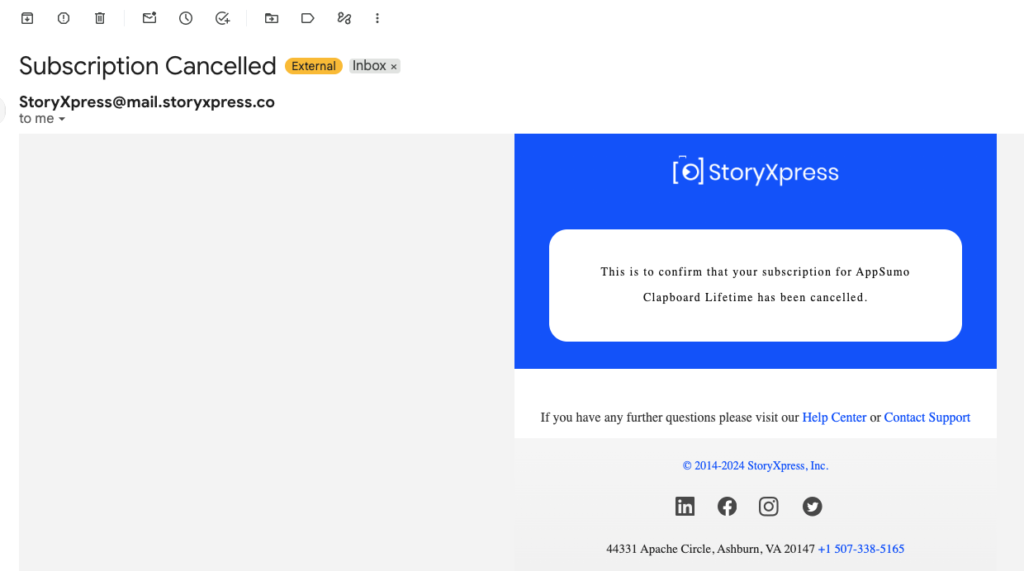
In other words, StoryXpress was powerful, but it feels more like a video marketing platform that happens to record your screen than a screen recorder that’s been rethought for how teams actually work and search. My biggest problem though was the backend UX kept breaking for me and became a pain to use.
Discovering SearchFerret: Screen Recording Built For Teams
Searchferret is where things clicked for me. Instead of being “yet another screen recorder,” Searchferret is built from the ground up for teams who care about brand consistency, streamlined workflows, and being able to find what was said in recordings, without bolting on a dozen tools. Right on the homepage, Searchferret emphasizes:
- Screen recording with consistent branding, team sharing, streaming, and analytics.
- No installs, no extensions: just open your browser and hit record.
- Automatic transcription on every video, making each recording searchable and readable by default.
From a content strategist’s perspective, that shift – treating every recording as a searchable knowledge asset, not just a file – is the real step change.
Searchferret’s Standout Features I Actually Use
Here’s what makes Searchferret feel “best in class” in everyday use.
- Automatic transcription and deep search
Every video you record is automatically transcribed, and those transcripts are built into the product experience: you can read what was said, search inside recordings, and jump straight to relevant moments instead of scrubbing through timelines. Practically, this means I can search for a phrase, client name, or feature keyword and find it inside my video library – turning hours of recordings into a searchable knowledge base rather than a black box. - No-install, browser-first recording
Searchferret works directly in the browser—no desktop app, no extension. You just open the site, hit record, and you’re off. For teams working across different machines, contractors, or locked‑down corporate devices, removing the installation step is a big win. - Beautiful, consistent brand controls
Searchferret leans heavily into design and branding: live-styled backgrounds, camera bubbles, rounded frames, padding, shadows, and shared brand settings that apply across the whole organisation. You define your brand look once – backgrounds, colours, camera style – and every team member’s recordings inherit that style, keeping your content visually consistent with almost zero effort. - Team-first architecture
Searchferret is multi‑tenant from day one: multiple organizations, shared video archives, shared player settings, roles and permissions (Owner, Admin, Member), and per‑organization configuration.
If you’re a freelancer or agency juggling multiple client workspaces, you can switch contexts in a click while keeping each client’s branding, videos, and permissions neatly separated. - Resilient, local‑first recording flow
Recordings are saved locally first and then uploaded, which dramatically reduces the risk of losing a long, high‑value walkthrough if your connection glitches midway through an upload. It may sound like a small detail, but when you’re recording long-form product tours or training content, that reliability is priceless.
Pricing: Why Searchferret Beats Per-Seat Models
Searchferret’s pricing philosophy is one of the main reasons I switched and stayed.
- One price for the whole organization. Instead of charging per seat like Loom and many legacy tools, Searchferret is explicit: “one price for your whole organization,” so you can add teammates without watching your bill spiral.
- Plans that start low, scale fairly. Their pricing philosophy article is refreshingly direct: no “contact sales” gates, no fake enterprise mystery tiers, and plans starting at around the price of a couple of coffees per month.
- Record for free for as long as you like. You can record right in your browser for free, without a credit card, and only upgrade when you need hosting and team features.
Compared to per‑user, feature‑layered pricing from Loom and the complex, add‑on-heavy grid from StoryXpress, Searchferret’s pricing approach for screen recording feels both transparent and aligned with how modern teams actually grow.
How Searchferret Changes My Content Workflow
The net result of moving to Searchferret is that my recordings have gone from “nice to have” reference material to a living, searchable knowledge layer for my work.
- For client projects, I can quickly search through past walkthroughs by phrase and resurface exactly where we discussed a particular landing page, brand element, or analytics view – without rewatching 20 minutes of footage.
- For internal SOPs and training, the combination of consistent, on‑brand visuals and searchable transcripts means new team members can skim content, search for specific procedures, and jump to the relevant segments instantly.
- For luxury/lifestyle content, the live styling, backgrounds, and camera bubbles give me studio‑polished assets straight from the recorder, rather than raw files that still need time in an editor.
Loom and StoryXpress both played their part in my evolution as a screen‑first creator. But once you’ve experienced always-on transcription, true searchability across every word in your videos, and team-wide branding baked into the recorder itself, it’s hard to go back. For where my content business is now, Searchferret isn’t just a replacement: it’s the new backbone of how I record, share, and find video.