
AI Search results
The world has changed. AI is now everywhere, and it has begun to dominate search both in terms of results, but also the nature of how folk search. Need to know if it affects you? Read on.
Last updated: February 2026
Topic number Ten:
AI search Results
If you “Google” something, you used to get organic search results and paid ads, and then a few other features like a map, or hotel booking options, and other less important search results. Since the advent of ChatGPT going wildly viral things have changed for ever.
There are two main things to note:
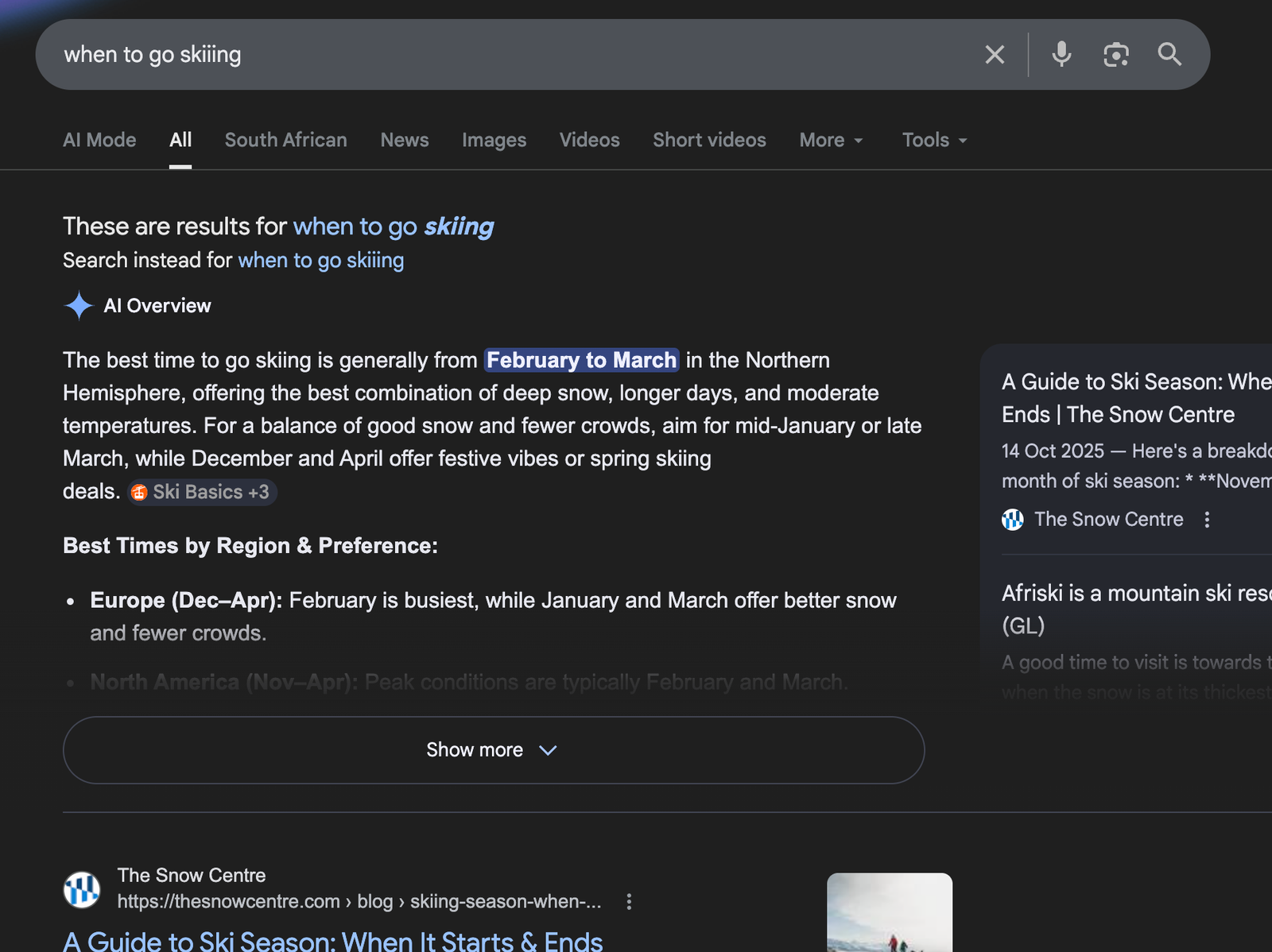
First, within the traditional “Google Search” you now often get an ‘AI Overview’ so it’s still a search result, but with a twist. Namely, that Google doesn’t just direct you to a variety of links but just plainly gives you an answer. The same is true for Bing’s search engine (for the few that use it), and for both it’s only likely to become more commonplace.
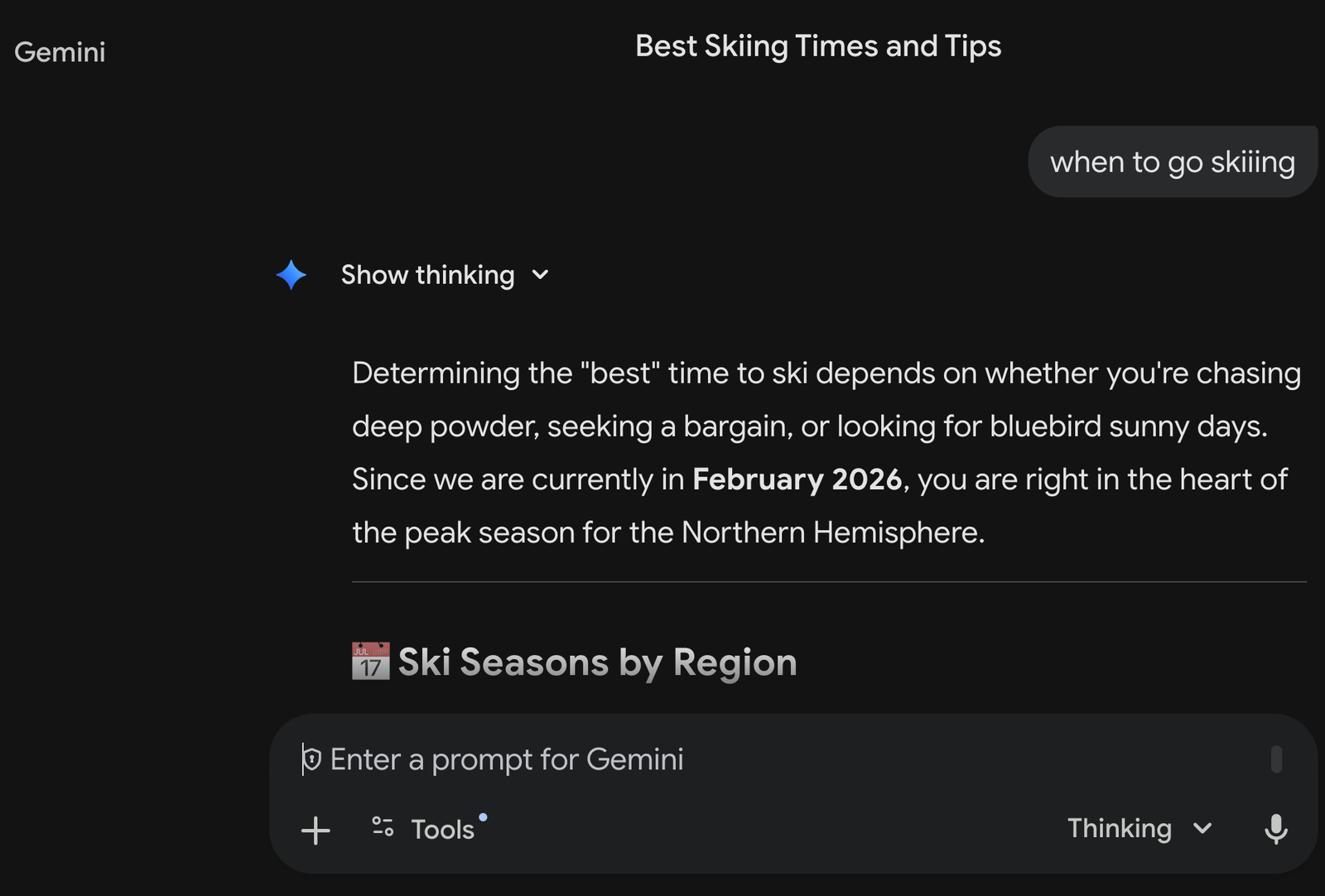
Secondly, people now use “AI platforms” (ChatGPT, Gemini, Perplexity, Grok, Claude, etc) to begin with and don’t even think to start their searches with Google anymore. My gut feel is most folk decide in their mind beforehand which to go to and searches that are very simple are probably staying on Google, for now. The nature of these platforms is that it is now a conversation, and less about sending folk to a website, where they can find the information themselves – and now the AI “brings” it to them instead, often in a collated way, synthesising multiple website’s info into one answer. This can mean you end up losing a metric ton of traffic! It’s well worth knowing if you can do anything about it…

let’s start with Google’s AI OVerview
Google’s AI Overview for now isn’t very alarming, as it fits in nicely with the rest of the SERP’s and the change from the way we had it before, isn’t all that different – I think because we had become used to “Featured Snippets”, which had been running for years. In many cases if you feel like the summary isn’t enough, or you question its validity, then you can jump below to organic results and click on the first one you fancy.
What I find confusing is why they have made it so tricky to distinguish between where they got their sources for their snythesised sources and the ones they list on the right and below. Even more so, clicking on the sources on the right has a horrible UX and I’d love more clarity from them on just what they are feeding me. My trust level is low of this stuff at present, and nowhere near what I felt in terms of trust for the good ol’ 1st ranking organic listing.
AN AI Platform
On an AI Platform, like Gemini on the right here, things are markedly different. I can’t even begin to get into why, but it’s now like dealing with a travel agent who can do the hard work for you, where above it was more like an amplified search. The directions the conversation can now take are exponentially more nuanced and like Alice in Wonderland, you may very well go down some rabbit holes you never intended to when you began.
As the whole AI “thing” is changing so fast I am reticent to even comment too much on all of this but it is very cool to be able to chat back and forth about your upcoming ski trip. The next logical thing to cover is AI Agents, and AI-based apps, or even companies implementing AI solutions in their normal tools or services they offer you, but that will go beyond the point of this article, and my role.
My hope is to show you why you should think about seeing if your website and business will show up on any AI based searches….
SEO —> AI —> what next?
Currently, the best advice I can give you is that if you had perfect SEO on your website previously, you are 95% set up to do well in AI searches. Simple things like a fast-loading website, high-quality content, and correct markup schema were the key ingredients back then and even now.
The one little thing that does seem to help which is entirely new is: having a brief summary of the page’s content (eg. one page on your site) at the very top – much like an “Intro” paragraph at the start of your high school history essay.
My main offering to people now then is this: How well are you doing on all of this?
So I offer to look at your site and see how well you fare in terms of the “AI race”. I will give you some key metrics to consider, and you can see how close you are to being AI-optimised, where in the past it was just simply: SEO-optimised. It doesn’t sound very modern or exciting or even very different yet and that is because, currently, it’s just an extension of previous SEO efforts. However, things are changing rapidly, and it is bound to keep doing so for the forseeable future.
I’m currently helping a few businesses with the transition to AI perfection
including…
Kyle, GridFA
If you would like to see similar results and grow both your visitor numbers and conversions, then please do get in touch.